
Few things drive a potential customer away from an online store more than a poor user experience. This not only refers to the site navigation or loading speed, but also to its search bar. A search function that’s basic, slow, or performs poorly leads to customer frustration and can send your conversion rate plummeting.
On the other hand, a great search experience can entice visitors to become customers, and make it easy for them to find exactly what they’re looking for.
This guide goes over everything you need to know about search in ecommerce such as what it is, why it’s so important, the types of ecommerce search, the best practices to keep in mind for a better search experience, and more.
What is Search in Ecommerce?
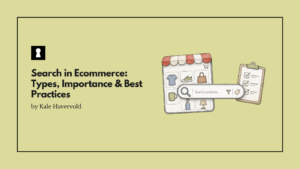
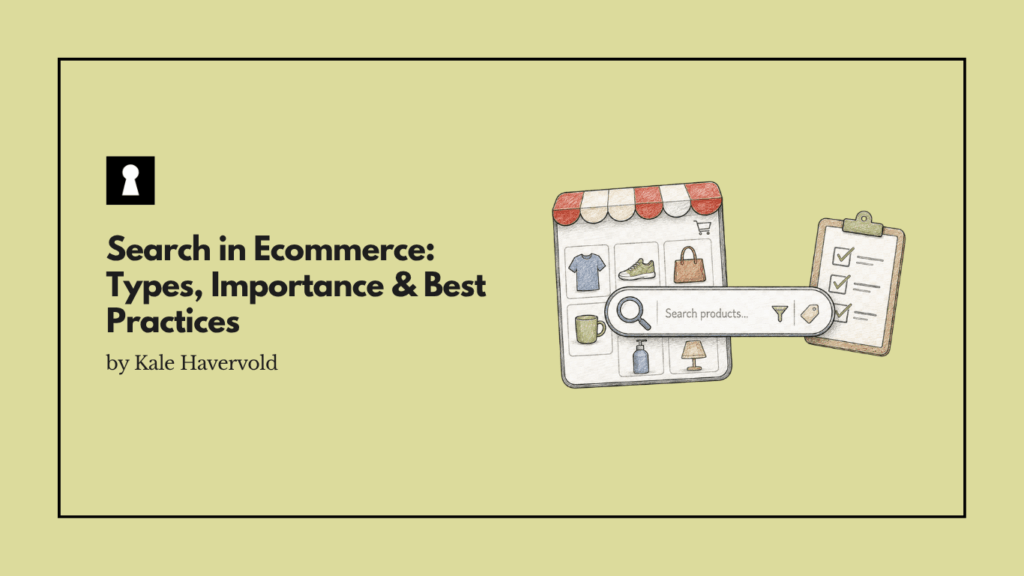
Search in ecommerce, also often known as ecommerce site search, is a tool or functionality that lets visitors find specific products on your website. It speeds up the process of locating products, as a customer doesn’t need to manually search through product categories and listings, and can simply search for what they want and find it in seconds.
Most sites and stores come with built-in search functions, but these are often basic. If you want to make it more advanced, you’ll either need to do this through custom development or by installing a pre-made search solution or platform.
Why is Search so Important in Ecommerce?
A good search experience is important in ecommerce, both for brands and customers alike.
The Importance of Site Search for Brands
For brands, search is crucial as, despite being just 24% of shoppers, searchers make up 44% of site revenue. Not only that, but searchers also have 2.5X higher conversion rates compared to nonsearchers. Also, when shoppers have a good site search experience, 92% of them buy the item they searched for, and 78% buy at least one additional item.
With nearly half of revenue coming from searchers, and these individuals converting at a much higher rate, it makes sense to put time, effort, and energy into ensuring your ecommerce search experience is seamless. It seems brands are taking notice of this, as search is the number one digital investment for B2C decision-makers over the next year.
But in addition to helping boost sales and conversions, search is also important for gathering data on user searches. This helps you learn which of your products are most popular, the types of terms people generally search for on your site, how many searches lead to purchases, which searches drive the most purchases, and more.
The Importance of Site Search for Customers
For customers, the importance of an optimized site search is clear. First, it helps them find products incredibly quickly, without having to sift through categories and browse hundreds or thousands of items to find the one they actually want.
It can also dramatically improve their shopping experience and reduce frustration by instantly showing them what they want to see, without dealing with complicated menus. In some cases, if a search function offers personalized recommendations, customers may even discover products they want that they didn’t even know existed.
A good search function may also boost customer loyalty in some cases, as if someone knows they can instantly find products quickly and easily on your site vs. others, they may be more likely to stick with you for their future needs.
The Most Common Types of Ecommerce Searches
Every shopper and situation is unique, and there are several types of ecommerce searches that customers may make. These types can generally be broken down by search query type and input method.
Search Query Type
A search query refers to the actual words and phrases someone types into an ecommerce search bar, and these are often categorized into different types based on customer intent and needs. The most common search query types include:
- Exact searches: Exact searches are when a customer knows exactly what they’re looking for. They may search for the exact product name, number, or model, and expect precise and accurate results. Also, people making exact searches are often very close to making a purchase.
- Product type searches: A product type search is performed by people who have a rough idea of what they’re looking for, but haven’t narrowed it down to a particular brand or model. They may search for terms like “men’s shoes”, “hoodie”, or other general categories. These shoppers are usually in the research phase of their buying journey.
- Problem-based searches: These are when someone searches for a solution to an issue they’re having, rather than a specific item. A classic example is someone searching for “mosquito repellent”. This means they’re looking for anything that can help them with a mosquito problem, but don’t specify if they want a spray, candle, or coil.
- Non-product searches: Finally, non-product searches are when people have search queries that don’t relate to products, but are still important to their experience. These may be questions about how to use products, concerns about your return policies, or queries about your shipping costs and speed.
These searches won’t lead to product listings, but instead to how-to guides, your policies, or other important documents. Not every company provides support for non-product searches like this, so doing so may help you stand out and give your customers a better experience.
Input Method
The input method refers to the different ways that customers provide information to your site’s search engine. Some of the most popular input methods for search are:
- Text search: Text search is the most popular method, where customers simply type in their queries into a search bar, using product names, model numbers, specs, or more.
- Visual search: Visual searches occur when a customer uploads an image to a search engine, which then uses that image as a reference to find products that are visually similar to what was uploaded.
- Voice search: A voice search is similar to a text search, only that you use your voice via your device’s microphone to speak out the terms you want to search for, rather than typing them.
- Emoji search: Emoji searches are relatively new, and are when customers use an emoji or a sequence of emojis to search for a product. The way this works behind the scenes is that these emojis are often mapped to certain keywords. So when a person searches for a specific emoji, the search engine recognizes it as a particular keyword.
Best Practices for Better Search in Ecommerce
Now that you’re familiar with what ecommerce search is, why it’s important, and the most common types of ecommerce searches, let’s go over some of the best practices to keep in mind to offer the best site search experience possible.
Some of the best ways to optimize your site search in ecommerce include:
- Offering personalized results by activating customer data to make sure search results are as relevant as possible. For example, you may be able to use things like location, purchase, and search history, and even demographics, to ensure you deliver the right product recommendations to people.
- Keeping the search visible on each page. Whether a customer is on your home page, your “About Us” page, or even checking out your privacy policy, they should always be able to quickly and easily navigate to a search bar. If you hide search behind menus or only have it on certain pages, look to change that immediately.
- Including advanced sorting and filtering options. Without these, it’s hard for a customer to narrow down their search and find what they’re actually looking for, especially if you have a huge product catalog.
- Prioritizing site performance and speed, as many customers have a very low tolerance for slow and unresponsive websites. Even a few extra seconds of loading time on your search functionality or site itself may drive people away.
- Considering misspellings, synonyms, hypernyms, and hyponyms. Some basic search engines won’t understand things like incorrect spellings or synonyms, which may give customers the dreaded “No Results” page. Thankfully, many advanced platforms and solutions may come with typo tolerance, auto-correct, or “Did you mean?” suggestions.
- Staying current with new technology, as things like AI and conversational search are changing search in ecommerce and making it smarter, faster, and more effective for everyone.
Final Thoughts
No matter what you sell or who your target market is, offering a high-quality search function on your ecommerce store is a good idea. It gives your customers a quick, easy, and frustration-free way to search your entire catalog, and helps your company improve conversions, make more sales, and build a more loyal customer base.
To ensure you provide the best searching experience possible to your customers, make sure to offer personalized results, keep search visible on every page, stay current with new technology and techniques, and abide by other best practices for search in commerce.
Search in Ecommerce: FAQs
Here are some common questions about search in ecommerce, along with their answers.
What Metrics Can You Use to Track the Performance of Your Site Search?
Some metrics your business can use to track site search performance include search conversion rate, search click-through rate, exit rate after search, and revenue per search.
What are Some Common Ecommerce Site Search Mistakes to Avoid?
Some common search mistakes in ecommerce to avoid include hiding the search bar, not including an auto-complete or suggestion feature, not providing a way to filter or sort results, and neglecting mobile searchers.
Where Should the Search Bar Be Placed on a Website?
In general, the search bar on a website should be placed somewhere where it’s immediately visible and recognizable. The best place is often the top-center or top-right of a webpage, often in the header. For mobile, the same rules apply generally, though you also want to make sure it’s easy for the site visitor to reach the search bar with their thumb.
What Should a “No Results” Page Look Like?
If someone makes a search that doesn’t match any products in your catalog, it’s good practice to have a “No results” landing page. But rather than simply adding a blank page, you should fill it with helpful details like similar alternatives, popular products, or your contact information so the customer can reach out and ask about the product.