
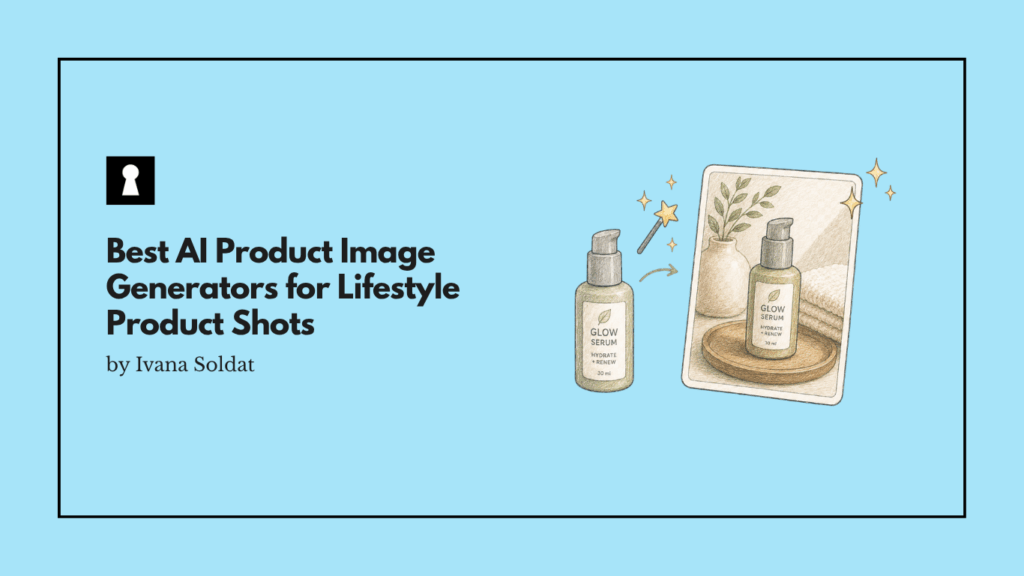
Plain product photos are useful. They show the item clearly, help shoppers understand what they are buying, and keep your listing honest.
But they are not always enough.
If you are running ads, posting on Instagram, building email campaigns, or testing new landing pages, you often need more than a clean white background. You need the product on a desk, on a bathroom counter, beside a coffee cup, in a kitchen, on a shelf, or in a setting that helps customers picture it in their own life.
That is where AI product image generators can help.
The best use of these tools is not replacing your real product photography altogether. It is turning a simple product photo into useful secondary creative faster than a full photoshoot would allow.
For ecommerce brands, the goal should be to keep the product accurate, improve the setting around it, and create more creative variations without making the image look fake.
What Is an AI Product Image Generator?
An AI product image generator is a tool that uses artificial intelligence to create or edit product visuals.
For ecommerce, the most useful versions usually let you upload a real product photo, remove or replace the background, add a lifestyle scene, improve lighting, resize the image, or create ad-ready variations.
Some tools are built specifically for ecommerce product photography. Others are broader image tools that happen to work well for product visuals.
The difference matters.
A general image generator can create beautiful scenes, but it may also change the product, alter the label, distort the shape, or invent details that are not actually there. A product-focused tool is usually better at keeping the original item intact while changing the environment around it.
That is the main thing store owners should care about.
A lifestyle shot is only useful if the product still looks like the product the customer will receive.
Should You Use AI Images for Main Product Listings?
In most cases, no.
Your main product image should usually be a clean, accurate, real photo. That is especially true for marketplaces, regulated categories, products with labels, products with texture differences, and anything where customers need to inspect details before buying.
AI-generated product images are better used for supporting visuals, such as:
- Social posts
- Meta ads
- TikTok ads
- Email banners
- Product page lifestyle sections
- Landing page hero images
- Blog visuals
- Seasonal campaigns
- Creative testing
This is the safest and most practical approach.
Use real photography for the images that prove what the product is. Use AI-assisted lifestyle images for the images that help people imagine where the product fits.
What Makes a Good AI Product Image Tool for Ecommerce?
A good AI product image generator is not just the one that creates the prettiest image.
For ecommerce, the best tool is the one that gives you usable images with the least cleanup.
Look for these qualities:
Product accuracy
The tool should preserve the product’s shape, size, color, material, packaging, logo, and label.
This is the biggest issue with AI product photography. A tool might create a beautiful kitchen counter scene, but if it changes the bottle cap, moves the logo, or edits the label text, the image becomes risky.
Realistic lighting and shadows
The product should look like it belongs in the scene. Bad AI images often fail here. The background looks nice, but the product floats, the shadow is wrong, or the lighting does not match.
Control over the background
You should be able to ask for simple scenes, not just dramatic ones. Most ecommerce brands do not need cinematic fantasy lighting. They need a product on a desk, shelf, counter, bathroom sink, gym bag, kitchen table, or bedside table.
Easy editing
The tool should let you regenerate, crop, erase, resize, and make small changes without starting over every time.
Batch workflows
If you have more than a few SKUs, batch editing matters. Creating one good image is easy. Creating consistent images across 50 products is harder.
Export options
The tool should help you create images in the right sizes for ads, social posts, product pages, and marketplaces.
Best AI Product Image Generators to Try
There is no single best tool for every ecommerce store. The right choice depends on where you sell, how much control you need, and whether you want quick social creative or polished catalog visuals.
Here are the tools worth testing first.
1. Dreamina

Dreamina is a good option for sellers who want an all-in-one AI creative tool for images, video, and social content.
It is especially useful if your goal is to turn plain product photos into cleaner lifestyle-style visuals without making the image feel too heavily edited. For small ecommerce teams, that can be enough. You upload a product image, describe the kind of scene you want, and test a few variations.
Dreamina also makes sense for brands that create a lot of ad and social creative, since it is not limited to static product images.
Best for:
- Social media visuals
- Ad creative
- Simple lifestyle scenes
- Sellers who want image and video options in one place
Watch out for:
- Product detail drift
- Over-stylized outputs
- Scenes that look too polished for the brand
A good prompt for Dreamina might be:
“Place this product on a clean bathroom counter in natural morning light. Keep the product shape, color, label, and packaging exactly the same. Add soft shadows. Make the scene realistic, minimal, and suitable for an ecommerce lifestyle image.”
2. ChatGPT Image Tools
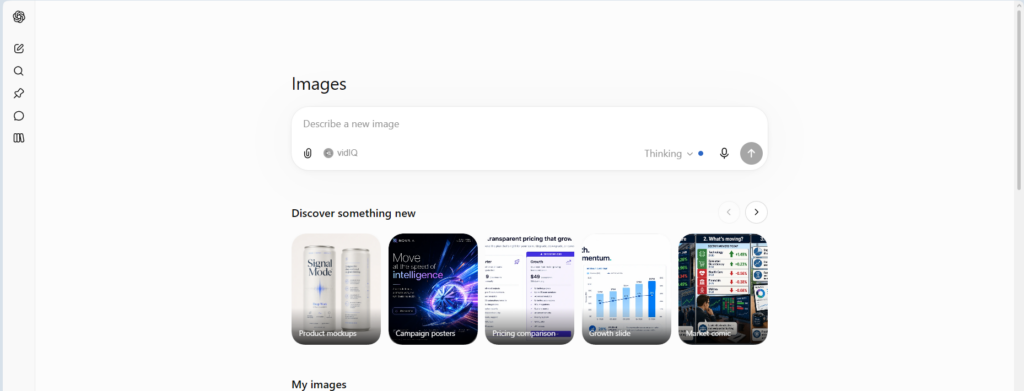
ChatGPT has become a strong option for product image edits, especially if you already use it for writing, ideation, or campaign planning.
Its biggest advantage is the conversational workflow. You can upload a product image, describe the scene, then refine the result step by step. For example, you can ask for a cleaner background, softer lighting, a different surface, or a more premium look.
This is useful for store owners who do not know how to write perfect prompts on the first try.
Best for:
- Iterative image editing
- Prompt refinement
- Concept testing
- Small teams already using ChatGPT
Watch out for:
- Small changes to product details
- Text or label errors
- Backgrounds that look too generated if the prompt is vague
A good prompt might be:
“Use the uploaded product photo as the exact product reference. Do not change the product, logo, label, shape, color, or packaging. Create a realistic lifestyle image of the product sitting on a light wooden desk next to a notebook and a coffee cup. Natural daylight, soft shadow, clean ecommerce style.”
3. Google Product Studio
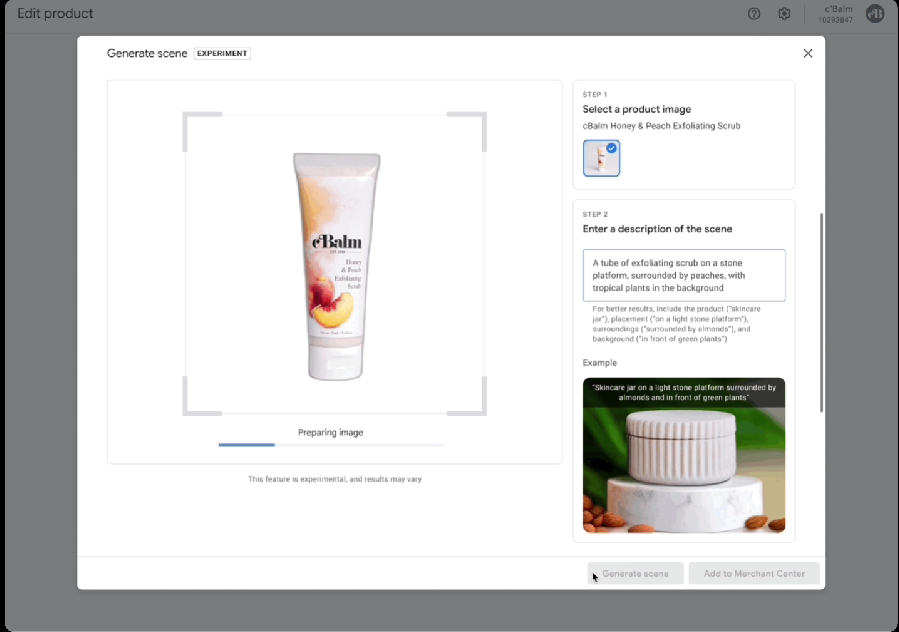
Google Product Studio is worth trying if you already use Google Merchant Center.
Its main advantage is that it is built directly around ecommerce product assets. It can help merchants generate or enhance product images without moving far away from the product feed workflow.
For brands already running Google Shopping or Performance Max, this is convenient. You can create cleaner product visuals and campaign assets closer to where those assets are being used.
Best for:
- Google Merchant Center users
- Shopping ads
- Product feed workflows
- Simple image cleanup and lifestyle variations
Watch out for:
- Less flexibility than some dedicated creative tools
- Output quality depending heavily on the original product photo
- Brand consistency if multiple people generate assets separately
Google Product Studio is a practical first stop because it sits inside a system many ecommerce teams already use.
4. Amazon Ads Image Generator
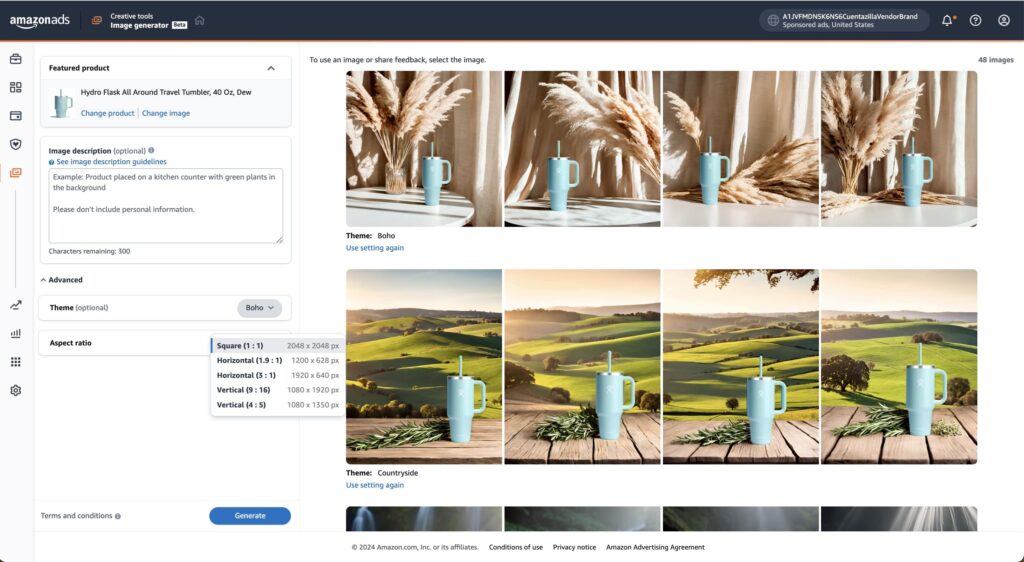
Amazon’s image generator is useful for brands that advertise on Amazon and need lifestyle images for ad placements.
The benefit is context. Amazon already knows the product listing, category, and shopping environment. The tool is designed to help advertisers create lifestyle creative that can make ads more visually interesting.
If you sell on Amazon, this may be more useful than creating images in a separate tool and trying to adapt them later.
Best for:
- Amazon advertisers
- Sponsored Brands and Sponsored Display creative
- Fast ad variations
- Marketplace-specific workflows
Watch out for:
- Marketplace policy requirements
- Whether the image is suitable for the exact ad format
- Any product detail changes that could mislead shoppers
This is not necessarily the tool for every brand’s website or social feed, but it can be useful inside Amazon’s own advertising ecosystem.
5. Shopify Magic Media Generation
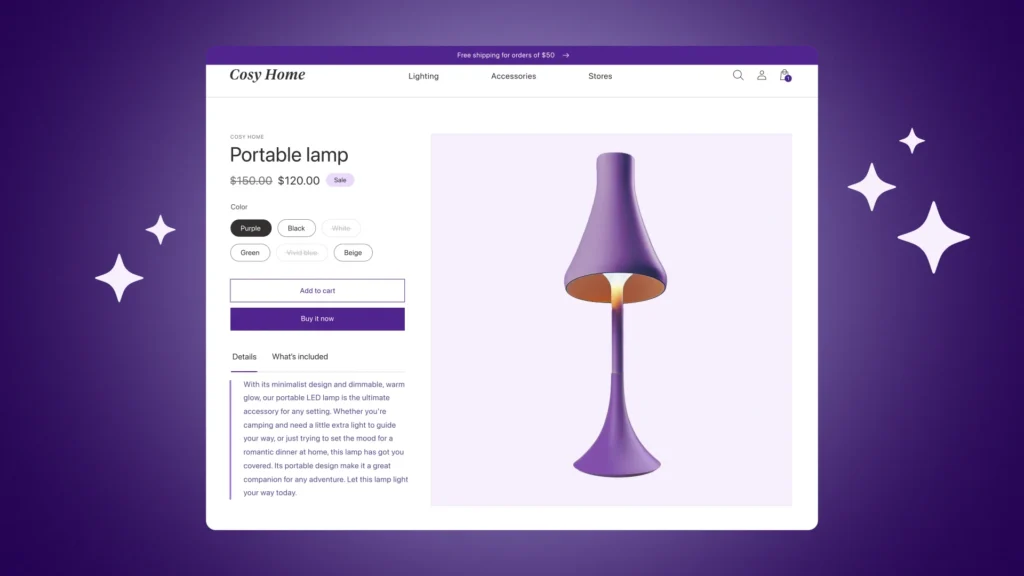
Shopify Magic is worth testing if your store runs on Shopify and you want a simple way to edit images without adding another tool to your workflow.
The advantage is convenience. Since the media tools are built into Shopify’s admin environment, they can be useful for quick background changes and basic product image edits.
For small stores, this can be enough to improve visuals without paying for a separate product photography platform.
Best for:
- Shopify merchants
- Quick background edits
- Simple product media updates
- Teams that want fewer apps
Watch out for:
- Creative limits compared with specialized tools
- Image resolution or format constraints
- Needing a more advanced tool for high-volume creative testing
Shopify’s native tools are best viewed as a convenient starting point. If you need advanced ad creative, brand templates, or bulk production, you may eventually outgrow them.
6. Canva
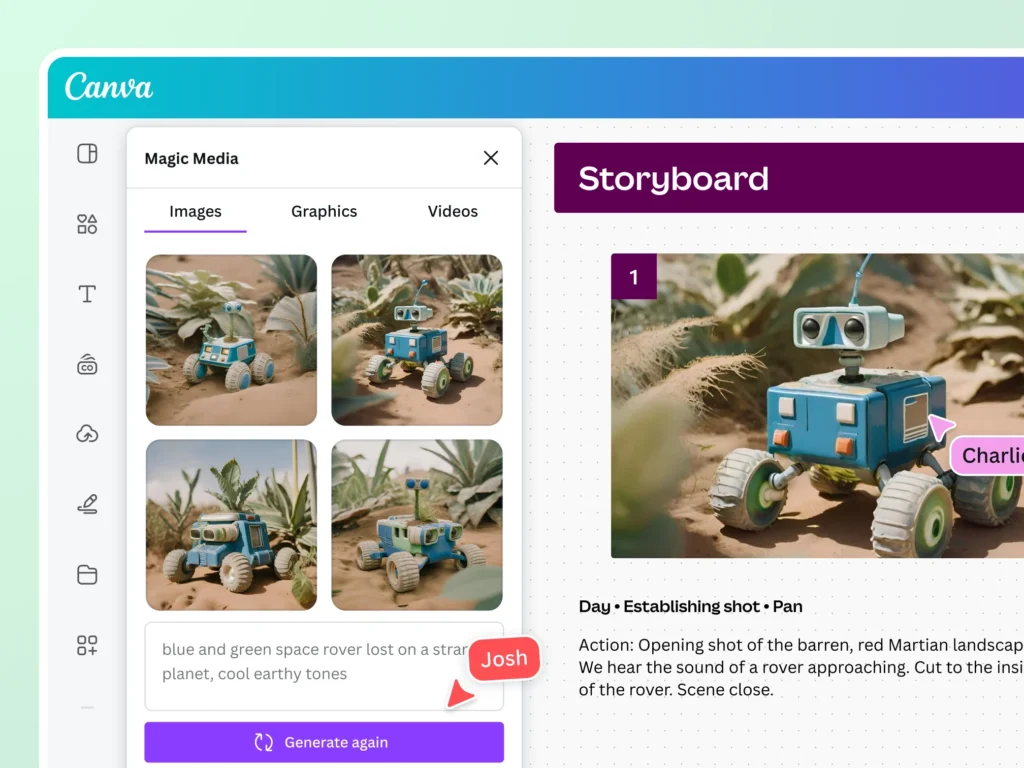
Canva is a strong choice for ecommerce teams that need product images as part of a larger design workflow.
It is not only about generating the lifestyle image. It is also about turning that image into a Facebook ad, Instagram post, email banner, website graphic, or promotional flyer.
That makes Canva useful for small teams that do not have a designer but still need consistent creative.
Best for:
- Social posts
- Ad layouts
- Email graphics
- Simple product image designs
- Teams already using Canva templates
Watch out for:
- Product photo accuracy when using generative features
- Generic-looking templates
- Over-designed images that distract from the product
Canva is best when the product photo is only one part of the final asset. If you need product preservation above everything else, test the output carefully.
7. Photoroom
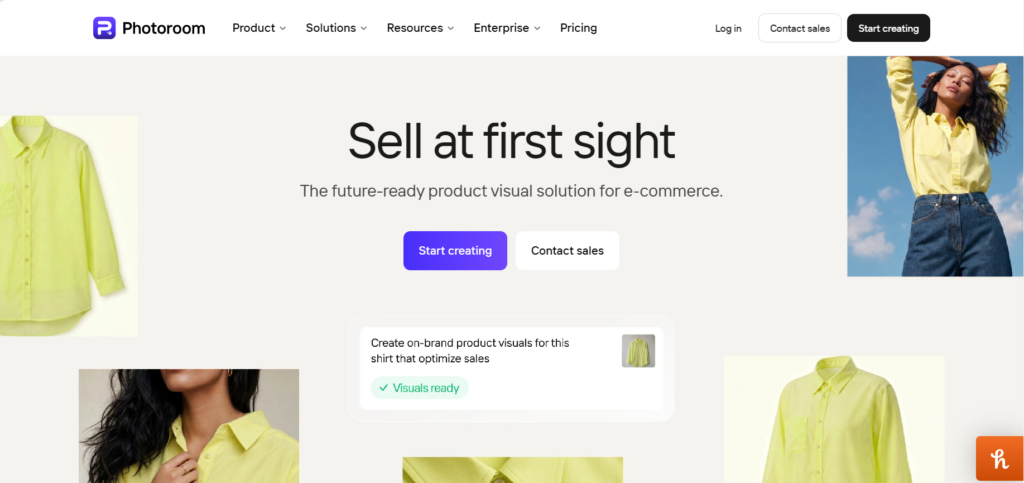
Photoroom is built closely around ecommerce image editing. It is especially useful for removing backgrounds, creating clean product visuals, and producing consistent images quickly.
For sellers who need listing-ready photos, marketplace images, or simple lifestyle variations, Photoroom is one of the more practical tools to test.
It also works well for teams that need repeatable visual styles across many products.
Best for:
- Background removal
- Product image cleanup
- Marketplace-ready images
- Consistent catalog visuals
- Batch workflows
Watch out for:
- Lifestyle scenes that may feel simple compared with more creative generators
- Needing manual review for shadows and realism
- Over-relying on templates
Photoroom is a good fit for ecommerce operators who care more about speed, consistency, and clean execution than experimental creative.
8. Pebblely
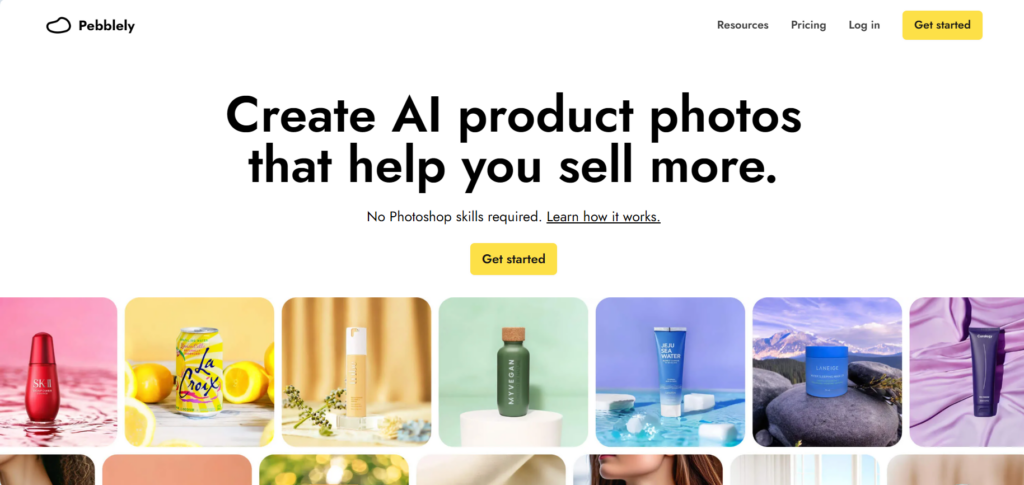
Pebblely is another product-focused AI photography tool that is especially useful for creating product shots with new backgrounds.
It is popular with small ecommerce teams because the workflow is simple: upload a product image, choose or describe a scene, and generate product visuals.
Pebblely can be useful for brands that want to create lifestyle shots without learning a more complex design platform.
Best for:
- Small ecommerce stores
- Product background generation
- Simple lifestyle images
- Fast creative testing
Watch out for:
- Product edges and shadows
- Backgrounds that feel repetitive
- Detail changes on packaging or labels
Pebblely is worth testing if you want a dedicated product image tool rather than a broad design app.
Which AI Product Image Generator Is Best?
The best choice depends on what you are trying to create.
- If you want a flexible creative tool for lifestyle images and social content, start with Dreamina or ChatGPT.
- If you already sell through Google Merchant Center, test Google Product Studio.
- If you advertise on Amazon, try Amazon Ads Image Generator.
- If your store is on Shopify and you want quick edits inside your admin, start with Shopify Magic.
- If you need social graphics and ad layouts, Canva is a practical choice.
- If you want ecommerce-specific product cleanup and repeatable catalog images, test Photoroom or Pebblely.
The better question is not “Which tool is best?” It is “Which tool keeps my product accurate while giving me enough usable variations?”
That is the standard ecommerce brands should use.
How to Prompt AI Product Image Generators?
Prompting matters, but you do not need to overcomplicate it.
A good ecommerce prompt should include five things:
- What must stay the same
- Where the product should appear
- What kind of lighting you want
- What style the image should have
- What the tool should avoid
Here is a reusable prompt structure:
“Use the uploaded product image as the exact product reference. Keep the product shape, size, color, label, logo, texture, and packaging unchanged. Place it in [specific scene]. Use [lighting style]. Make the image realistic, clean, and suitable for ecommerce ads. Do not add extra text, change the label, distort the product, or make the scene look artificial.”
Examples:
“Place this candle on a small bedside table with a book and a glass of water. Warm evening light, soft shadows, realistic home setting. Keep the candle label and jar shape unchanged.”
“Place this skincare bottle on a white bathroom counter beside a folded towel and a small plant. Bright natural light, clean premium look. Keep the product color, cap, label, and proportions exactly the same.”
“Place this coffee bag on a kitchen counter beside a mug and coffee beans. Morning light, realistic shadows, casual but polished ecommerce style. Do not change the bag design or label text.”
“Place this notebook on a modern desk with a pen, laptop corner, and soft daylight. Minimal background, realistic scale, clean composition. Keep the notebook cover exactly the same.”
The more specific you are, the better the result usually gets.
What to Avoid When Using AI for Product Photos?
AI product photography can save time, but it can also create problems if you use it carelessly.
Avoid these mistakes.
Do not use AI images as proof of product features
If the image shows a texture, size, finish, ingredient, accessory, or use case that is not real, it can mislead customers.
Do not trust labels without checking them
AI tools can distort text, change letters, or make labels look almost right but not accurate. Always zoom in.
Do not create impossible product scenes
If the product is water-sensitive, do not show it in water. If it is not food-safe, do not show it near food in a way that suggests it is. If it is not outdoor-safe, avoid outdoor scenes that imply durability.
Do not over-style the image
Some AI images look impressive but fake. Ecommerce creative should help the shopper understand the product, not distract them from it.
Do not skip policy checks
Marketplaces and ad platforms can have rules around image accuracy, claims, text overlays, and AI-generated content. Check the rules before using AI images in paid campaigns or listings.
A Simple Workflow for Ecommerce Teams
The best workflow is not complicated.
Start with a clean real product photo. Good input matters. Use even lighting, a clear angle, and the highest resolution you can.
Remove or isolate the background if needed. Some tools do this automatically, but starting with a clean product cutout usually improves results.
Generate three to five simple lifestyle scenes. Do not start with complex scenes. Try a desk, counter, shelf, bathroom, kitchen, or natural surface.
Review every output closely. Check the logo, label, color, size, texture, edges, and shadows.
Save the best prompts. When you find a prompt that works, keep it in a shared document. This helps you build a consistent brand look over time.
Test the images in low-risk placements first. Use them in social posts, email headers, or ad tests before relying on them heavily across your store.
Compare performance. The best image is not always the prettiest one. Track click-through rate, conversion rate, add-to-cart rate, and ad cost.
Final Verdict
AI product image generators are not a full replacement for real ecommerce photography. They are a way to stretch one good product photo into more useful creative.
For most stores, the safest approach is to keep main product images real and use AI for secondary lifestyle shots, ads, social posts, email graphics, and landing page visuals.
Start with tools that fit your current workflow. Dreamina and ChatGPT are strong flexible options. Google Product Studio, Amazon Ads Image Generator, and Shopify Magic make sense if you already sell or advertise inside those ecosystems. Canva is useful for design-heavy marketing assets. Photoroom and Pebblely are practical for ecommerce-specific product photo editing.
Whatever tool you choose, judge it by one standard: does the final image make the product more appealing without changing what the customer is actually buying?
If yes, it is useful.
If no, regenerate, edit, or use the real photo instead.