
eBay is rolling out a new feature that lets sellers set up automatic bundle discounts if their buyers purchase more than one item in an order. While sellers need to opt in to the feature before it’s active, once they do, they have plenty of control over which listings are eligible and how large the discounts are.
This is an always-on incentive for buyers, which may help sellers increase average order value (AOV) and entice shoppers to make larger orders to secure the bundle discount. However, while the feature is by and large a win for sellers, there’s also some potential for confusion among customers, especially if they need a refund.
eBay Introduces Bundle Discounts
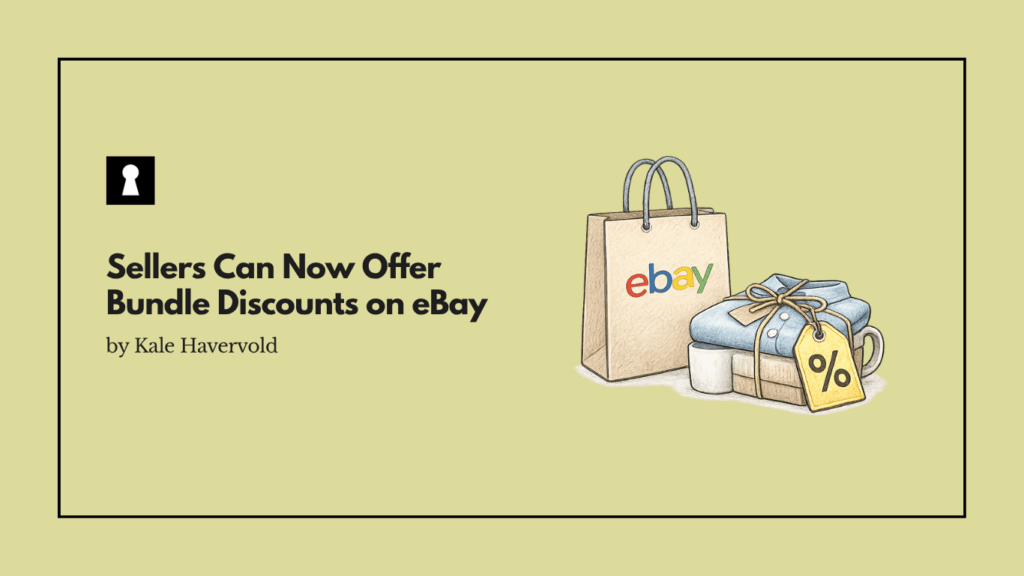
eBay is rolling out a new feature that lets sellers offer an automatic bundle discount when customers buy more than one item in the same order. You’re able to set up different discount percentages for two, three, and four or more items, and these discounts can either cover multiples of the same item, different items, or a combination of the two.
For example, you may opt to give someone a 5% discount if they buy two items, a 10% discount if they buy three, and 15% off if they buy four or more. However, you’re free to choose whatever discounts make sense for you. These savings are automatically shown for customers in eligible listings while they browse and get applied automatically in the cart.
How Bundle Discounts Work
The way the feature works is fairly straightforward. First, to be able to activate these discounts, you need to opt into the feature. Once you opt in and have enabled the feature, these bundle discounts will apply to all of your eligible listings by default. Also, any new eligible listings you create are automatically added to your bundle discount inventory.
While this may be concerning to some sellers that don’t want these discounts on every item, the good news is that sellers maintain full control over which listings support this new feature. You’re easily able to exclude specific items and listings from these bundle discounts at any time. Also, if you ever want to disable this feature in general, you can do so.
Bundle discounts can be combined with eBay promotions and sales events, but you can’t combine them with seller coupons, seller order discounts, volume pricing, or other promotional codes you’re running. If an item is eligible for multiple discounts, the one that’s the best deal for the buyer is applied.
Think of bundle discounts like an “always on” discount that your customers can get whenever they buy multiple items. Sure, it may not beat out every other promotion you run or coupon you hand out, but it’s a consistent discount your customers can rely on no matter when they buy from you, as long as you keep offering it.
Setting Up Bundle Discounts
Setting up bundle discounts on eBay is fairly simple, and there are multiple ways to do it. In the eBay app, you just need to sign in, tap the Selling page, and then the Bundles icon. Once there, simply choose your discount percentage and decide which listings you want the bundle discount to apply to.
Through My eBay, you need to go to your account page, select Selling, click Bundle discounts, and then choose your discount percentage and choose the listings.
Finally, you can also access bundle discounts from your Seller Hub by going to your Seller Hub, selecting Active listings, clicking Add or Review Discounts in the Actions menu, and then setting your discount/choose listings.
Keep in mind that this feature seems to be coming out in phases, so not every seller will have it immediately. As a result, if you don’t have access, you may just need to wait until it rolls out to you.
Potential Confusion About Returns
One area of potential confusion with this feature is how returns work. If a buyer returns part of an order where a bundle discount was applied, the refund depends on the number of items they’re keeping and the discount which that amount of items would qualify for.
The following is an example that eBay provided to illustrate how returns work. It assumes that an item is $10 and that you’ve set up these discount offers:
- A bundle discount of 20% or $2 each when 2 items are purchased together
- Customer buys two items and pays $16 at checkout (or $8 each)
- A bundle discount of 30% or $3 each when 3 items are purchased together
- Customer buys three items and pays $21 at checkout (or $7 each)
If your buyer purchases three items for $21 and returns one item, the two items the buyer keeps now have a bundle discount price of $16 (not $14). Your buyer is refunded $5 ($21 – $16).
While this is clearly explained by eBay, there’s a good chance some buyers may not be aware of how the returns work. As a result, be prepared to have to deal with a few people unhappy that they aren’t receiving a refund equal to the discounted price that was originally given to the item.
Returns can already have a financial impact on ecommerce brands, so brands need to be aware of this potential confusion and be prepared to handle it carefully, so as not to lead to negative feedback or major customer disputes.
Our Take
The Feature is a Win For Sellers
Despite the potential confusion when it comes to returns, this feature is seen as a win by many sellers. Having discounts like this can encourage shoppers to turn a small and simple one-item order into a larger one that leads to more revenue for sellers. The feature also does the work automatically in terms of applying the discount, so there’s nothing for you to adjust or change.
Also, being able to combine multiple items into a single box or order can cut down on shipping and handling costs for brands. The feature may also help with cross-selling, as when customers see you have a discount for ordering more than one item, they may check out the rest of your inventory to see if there’s anything else they like.
This move by eBay is the latest in a series of changes the company has made that are likely to be popular for sellers, joining things like the company launching a one-click ad feature and preventing U.S. buyers from cancelling winning bids.